How to Get the Most Out of Your 4K Interactive Display in Bright Meeting Rooms
Many meeting rooms have big glass windows. They look great and let in a lot of light, but they can also make it hard to see screens clearly. Sunlight can reflect off the display, cause glare, and even wash out the image. That’s why it’s important to know how to set up your interactive display properly—so your team doesn’t have to squint during presentations.
Avocor G Series Makes It Easier to Handle Bright Rooms
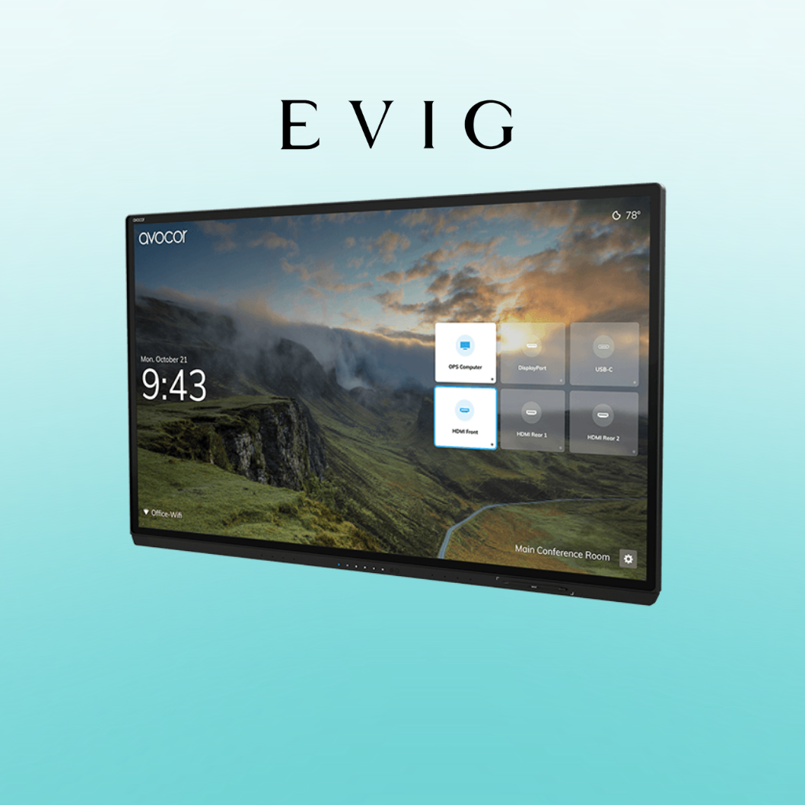
The Avocor G Series was built with these kinds of rooms in mind. These 4K screens have anti-glare glass and bright displays that help cut through sunlight. Whether it’s a boardroom with open blinds or a training room with strong ceiling lights, the screen still looks clear and sharp.
Another great feature of the Avocor G Series is that it provides a “pen-on-paper” feel. Even in bright rooms, you can write or draw on the screen without annoying reflections getting in the way.
Place Your Screen in the Right Spot
If you want to get the best out of your 4K interactive display, it starts with placement. Don’t put the screen right in front of big windows. Use a sidewall or a section that doesn’t get direct sunlight. If windows can’t be avoided, hang some light curtains or blinds. It helps more than you’d think.
Also, keep the room layout simple. Avoid placing shiny objects or furniture close to the screen. They might reflect light and cause distractions.
Make the Most of the Screen’s Brightness
The Avocor display comes with a brightness level of 500 nits, which is strong. In simple words, it’s bright enough for most rooms—even the sunny ones. But here’s a quick tip: make sure the screen brightness is set correctly in the settings menu. Sometimes, displays are set to lower levels by default to save power.
Once you bump up the brightness, text and visuals will pop more—even if the room is filled with sunlight.
Keep the Glass Clean and Fingerprint-Free
Touch screens look best when they’re clean. Smudges and fingerprints can make glare worse and reduce how sharp things look. Use a soft, dry cloth regularly to wipe down the screen. Avoid using wet sprays or harsh chemicals.
The Avocor screen has anti-fingerprint glass, which helps a lot—but a quick daily wipe still goes a long way.
See also: How Smart Cities Are Using Technology to Improve Urban Life
Pick the Right Colours for Content
This one’s simple, but people often miss it. If your slides or documents are full of light grey or pale blue, they’ll be harder to see in bright rooms. Instead, opt for bold text, darker colors, and larger fonts. Even if you’re working in Excel or PowerPoint, changing colour contrast can make things easier on the eyes.
With a 4K resolution display like this, you don’t have to worry about blur. Everything stays clear as long as you use smart colour choices.
Sound Must Match the Visuals
It’s not just about what people see—it’s also about what they hear. In busy offices or rooms with echo, sound can get lost. The Avocor G Series includes built-in 40W speakers and good microphones. These help people hear each other clearly, even when some participants are joining remotely.
If you’re in a meeting room with a lot of glass and hard surfaces, utilize the built-in audio features. You won’t need to add extra speakers in most cases.
Use the Presence Sensor to Save Power
Another handy tip—when meetings are done and everyone leaves the room, the screen doesn’t need to stay on. The Avocor display has a smart sensor that turns it off when no one’s around. Then it powers back up when someone walks in. It’s a minor feature, but it helps keep the display in good shape and saves energy too.
Talk to the Right AV Partner
Getting the right interactive display screen is one part. Having proper support is the other. In the Middle East, Evig is the trusted partner for Avocor. They supply, install, and support the full range—including the Avocor G Series. If you’re based in Dubai or nearby and need help setting up a bright meeting space, Evig is the one to reach out to.
Final Thoughts
Bright rooms can be tough on displays—but with the proper setup and the right screen, they don’t have to be. The Avocor G Series makes it much easier to work, meet, and share ideas—even with sunlight pouring in. You get a crisp picture, smooth writing, and smart features that actually help your team.
Don’t let sunlight ruin your meetings. Set things up right, clean the screen often, and trust good gear. Your eyes (and your team) will thank you.